Best Emulator for Shadow Fight 2 on PC (2026 Guide)
I tried five different emulators before Shadow Fight 2 finally ran the way I wanted on my PC. Some ate all my RAM, one kept crashing during the Titan fight, and another lagged the moment things got busy. If you are stuck choosing, this guide saves you that trouble. Below I compare the best emulators for Shadow Fight 2, what each one is good at, and which one to pick for your kind of PC.
For most players, BlueStacks is the easiest choice. If your PC is older or low on RAM, go with LDPlayer or NoxPlayer, since both run lighter while still handling Shadow Fight 2 well.
What Makes a Good Emulator for Shadow Fight 2
Shadow Fight 2 is not a heavy game, so almost any modern emulator can run it. The real difference comes down to how much RAM the emulator itself uses, how good the key mapping is, and how stable it stays during long boss fights. A lighter emulator leaves more power for the game, which means smoother combat.
Key Mapping Is the Real Reason to Use One
Every emulator on this list will run the game. What separates them in practice is key mapping — how cleanly you can bind Shadow’s attacks to a keyboard.
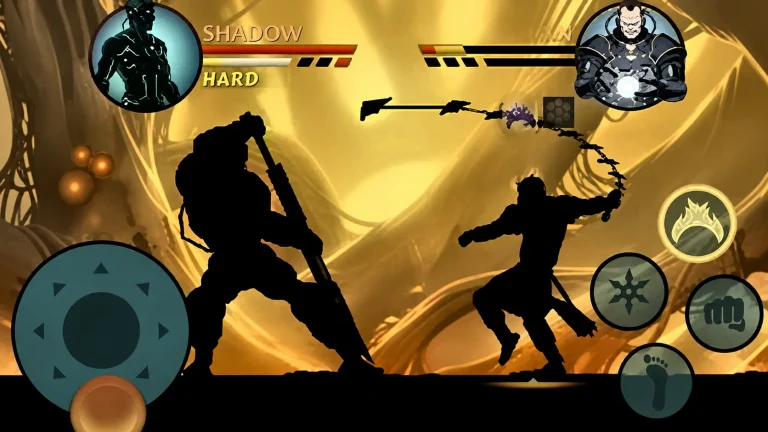
Shadow Fight 2 uses a movement stick plus four attack zones: upper punch, lower punch, upper kick, lower kick. On a phone, one thumb holds the stick while the other has to cover all four zones, which is exactly why combos that work in practice fall apart under pressure. On a keyboard each of those becomes its own key. If you change one setting after installing, make it your bindings.
The Best Emulators Compared
BlueStacks
Best for most playersThe most popular and beginner friendly option. Setup is simple, key mapping is clean, and it is very stable. It uses more RAM than the others, so 8GB is ideal for the smoothest run.
LDPlayer
Best for gaming and mid PCsBuilt with gaming in mind. It is lighter than BlueStacks, has strong key mapping, and runs well on mid range machines. A great balance of speed and features for Shadow Fight 2.
GameLoop
Best for raw performanceMade by Tencent and focused on smooth performance. It has fewer general features than BlueStacks, but it runs games cleanly and is a solid pick if speed is all you want.
NoxPlayer
Best for low end PCsLight on RAM and very customizable, with good controller and key support. A strong choice if your PC is older or you want to keep resource use low.
If you are still deciding whether Shadow Fight 2 is the game worth setting all this up for, it holds up well against its closest alternative — I compared the two here: Shadow Fight 2 vs Ninja Warrior.
Emulator Comparison at a Glance
| Emulator | Best For | RAM Needed | Verdict |
|---|---|---|---|
| BlueStacks | Most players | 8 GB ideal | Easiest and most stable |
| LDPlayer | Gaming, mid PCs | 4 to 8 GB | Best all round balance |
| GameLoop | Pure performance | 4 to 8 GB | Fast, fewer extras |
| NoxPlayer | Low end PCs | 4 GB works | Lightest option |
Whichever one you land on, the reason most players move to PC is the same: long sessions. Grinding toward level 52 takes hours, and a keyboard makes those hours far less painful. The same applies to boss attempts, where one dropped input costs the run — the Titan guide shows how tight that fight gets.
Which One Should You Pick
If you just want it to work with no fuss, install BlueStacks. If your PC is a few years old or has 4GB of RAM, LDPlayer or NoxPlayer will feel smoother. GameLoop is worth a try if the others run slow and you only care about frame rate. Whichever you choose, turn on virtualization (VT) in your BIOS and give the emulator at least 4 CPU cores for the best results.
Frequently Asked Questions
Is playing Shadow Fight 2 on an emulator allowed?
Emulators are not banned and the game runs on them normally. Your progress still syncs to your account the same way it does on a phone.
How much RAM do I need to run Shadow Fight 2 on PC?
4 GB is enough for a steady 60 FPS. The game is light by modern standards — the emulator itself uses far more resources than the game does.
Why is my emulator running slowly?
Virtualisation is almost always the cause. Turn on VT-x or AMD-V in your BIOS and give the emulator at least 4 CPU cores. The large majority of slowdown complaints come down to that one setting.
Can I use a controller instead of a keyboard?
Yes. All four emulators here support gamepads, and the four-zone attack layout maps naturally onto face buttons.
Picked your emulator? The next step is getting the game running with unlimited coins, gems, and unlocked gear.
Get Shadow Fight 2 for PC